


Haygor Insights / Instrumentation Troubleshooting
Why Pressure Transmitters Fail and How to Decode Their Error Messages
Common failure causes and a practical guide to Rosemount and Honeywell diagnostics.
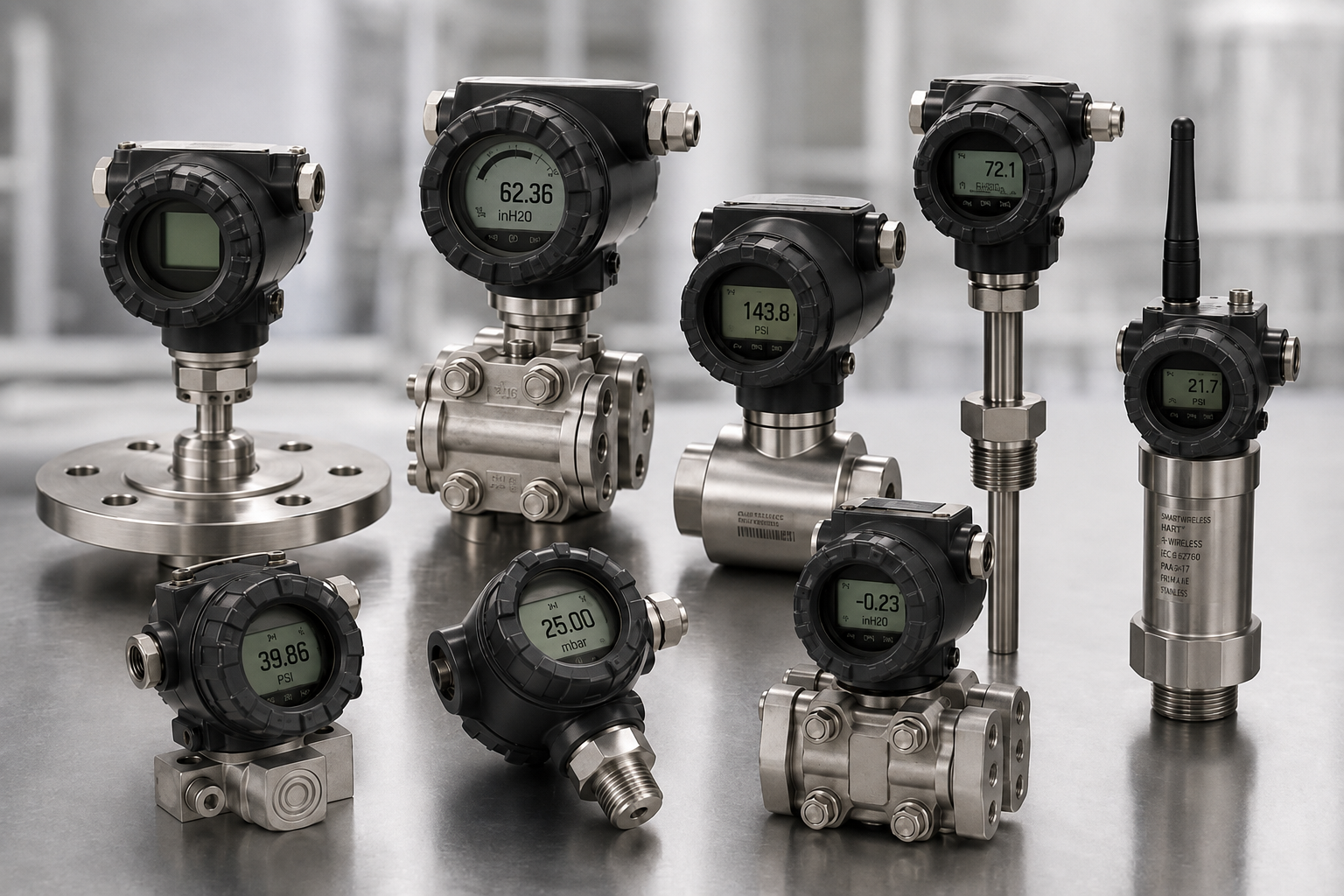
Pressure transmitters are built to endure demanding environments, but they are not indestructible. Below is an overview of the most common reasons they malfunction, along with guidance on interpreting diagnostic messages for popular models.
1. Physical and Mechanical Factors
- Overpressure or physical impact. Pressures beyond the device’s rating or direct mechanical shock can deform the sensing diaphragm or damage other critical components.
- Constant vibration or sudden jolts. Ongoing vibration or a sharp impact can loosen internal connections or fatigue components.
- Pressure surges and pulsations. Rapid spikes or repeated oscillations can accelerate wear and contribute to sensor drift or premature failure.
2. Environmental and Chemical Stress
- Corrosive or incompatible process media. Aggressive chemicals can attack wetted materials and sensing elements.
- Extreme temperatures. Operation beyond the specified process or ambient limits can impair electronics, diaphragms, or fill-fluid performance.
- Moisture intrusion. Water entering the enclosure can damage electronics, corrode wiring, and compromise connections.
3. Electrical and Installation Issues
- Incorrect application. A transmitter unsuitable for the fluid, pressure range, temperature, or environment may fail prematurely.
- Wiring and interference problems. Electromagnetic interference, poor grounding, reversed polarity, or open and short circuits can cause erratic readings or loss of output.
- Component aging. Electronic components can drift or deteriorate over time, affecting measurement performance.
4. Operational and Maintenance Gaps
- Zero drift and range shift. Changes in calibration or sensor condition can lead to inaccurate outputs.
- Neglected maintenance. Missed inspections and calibration checks can allow developing faults to go unnoticed.
Understanding Model-Specific Error Messages
Diagnostic messages vary by model, protocol, display, and firmware revision. Match the installed device to its manufacturer’s manual before troubleshooting.
Follow plant isolation and maintenance procedures before opening, disconnecting, or restarting equipment. A reset does not necessarily correct the fault.
Emerson Rosemount 3051
These examples apply to the 4–20 mA HART models covered by Emerson manual 00809-0100-4007. LCD and local operator interface wording can differ.
Failure Messages
Swipe horizontally to view the full table.
| Error condition | Display message | Recommended follow-up |
|---|---|---|
| Electronics board fault | FAIL BOARD | Replace the electronics board per the manual. |
| Incompatible sensor module | XMTR MSMTCH | Replace with a compatible sensor module. |
| No pressure updates | NO P UPDATE | Check the sensor cable; replace the sensor if required. |
| Sensor module failure | FAIL SENSOR | Replace the sensor module. |
| No temperature updates | NO T UPDATE | Check the sensor cable; replace the sensor if required. |
Function Check
- Simulated variable. The reading is simulated. Confirm testing is complete, then restore normal measurement using the manual’s procedure.
- Loop test current fixed —
ANLOG FIXED. Confirm the loop test is complete, then exit test mode or follow the restart procedure.
Maintenance Required
- Bluetooth or display fault. Check the display connection; reseat or replace the assembly as the specific message requires.
- Stuck button —
STUCK BUTTON. Free or disable the button; replace affected assemblies if required. - Display communication failure. Check the display connection; replace the display or board if required.
- Loop integrity alert —
POWER ADVISE. Check supply, wiring, grounding, and moisture before considering loop recharacterization. - Plugged impulse line. Check the impulse line or flow element for blockage.
- Process alert. Verify the process condition and review thresholds under the approved operating procedure.
Out-of-Specification Warnings
- Pressure out of limits. Verify process pressure, pressure connection, and diaphragm condition.
- Module temperature out of range. Check process and ambient temperatures against specifications.
- Loop current saturated. Check process conditions, configured range, output, and wiring.
For full definitions and procedures, see the Rosemount 3051 manual, July 2024, Chapter 6.
Honeywell ST 700 and ST 800 Series
Out-of-Band Signaling on 4–20 mA HART Models
The HART-with-SIL models covered by Honeywell safety manual 34-ST-25-37 signal certain internal faults through out-of-band output current. Revision 9.0 specifies these diagnostic timings:
Swipe horizontally to view the full table.
| Condition | Diagnostic timing | Indication |
|---|---|---|
| Primary variable stops updating | 7 seconds | Burnout current |
| Current differs from the expected value | 40 seconds | Burnout current |
| Internal electronics failure | Within 15 minutes, worst case | Burnout current |
The manual specifies a power cycle for recovery. Investigate the cause and verify normal operation before return to service.
See Honeywell’s ST 800 and ST 700 HART Safety Manual, Revision 9.0 for the applicable device scope and procedures.
FOUNDATION Fieldbus Diagnostics
FOUNDATION Fieldbus models use digital diagnostics, including block-status parameters such as BLOCK_ERR. Consult the specific transmitter’s Fieldbus manual to interpret the status and determine corrective action.
Key Takeaways
Proper installation, compatible materials, calibration, and inspection help prevent pressure-transmitter failure. Record the complete fault message and consult the manual for the exact device and revision.
For repeat failures caused by harsh media, clogging, or temperature, Haygor can evaluate repair and diaphragm seal options.
Talk with Haygor
Find the cause of recurring instrument failures.
Send Haygor the transmitter model, fault message, process conditions, and required turnaround. Our team can help evaluate repair options and the surrounding application.